
A Practical Guide for Business Owners & Team Leaders
How to Prepare Your Team for AI and Agents.
Help your team understand what AI can do, use it responsibly, and find better ways to work. Start with a shared foundation and one useful project.

The Starting Point
- 01Understand the Capabilities
Know what is useful, what can fail, and what is changing.
- 02Set Clear Boundaries
Agree on tools, data, review, and who can approve actions.
- 03Apply It to Real Work
Choose a manageable task and measure what improves.
01 / UNDERSTAND
Build a Shared Understanding.
Before choosing tools for everyone, give the team a clear picture of what AI is and where it fits. People need enough understanding to recognize an opportunity, question an answer, and know when to ask for help.
AI Tools
Software that can work with information to generate, analyze, summarize, or transform it. What a tool can access and do depends on its features and configuration.
AI Agents
Systems that can use tools and carry out a sequence of steps toward a goal. Their permissions, instructions, and review points determine what they are allowed to do.
Teach capabilities and limitations together. A convincing answer can still be wrong. A useful demonstration does not prove a workflow will handle every exception. Give people examples they can inspect, including what happens when information is missing.
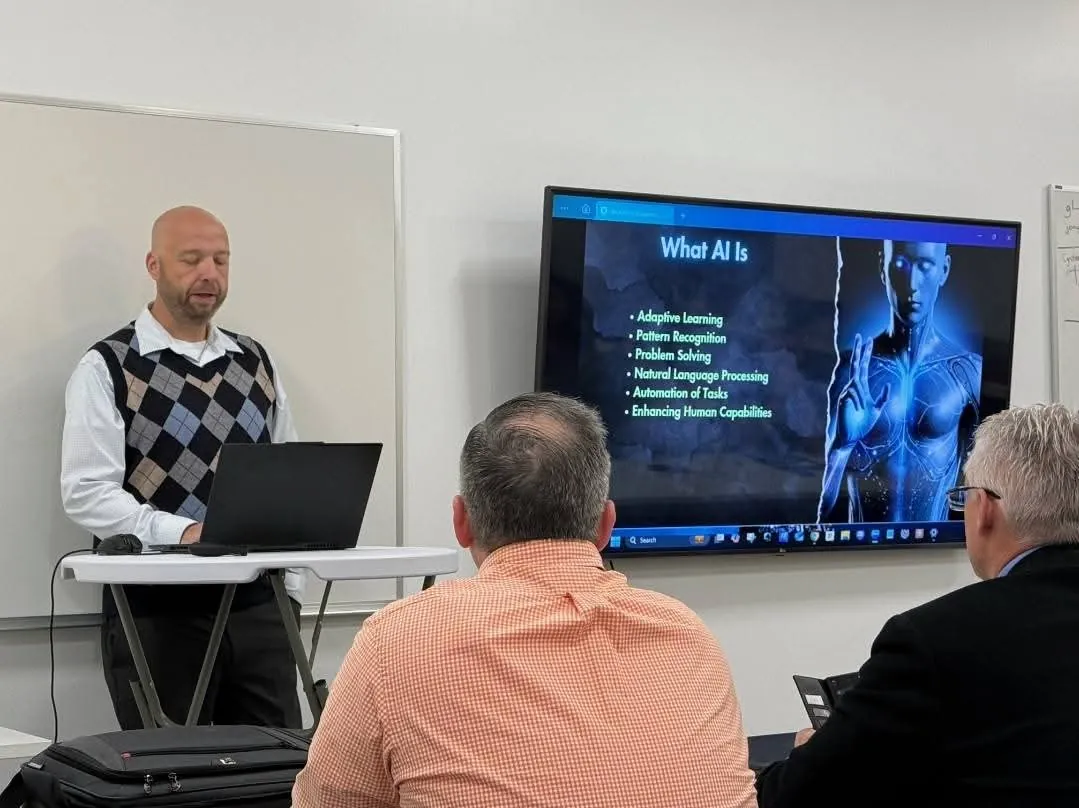
ADA's introductory training covers what AI is, its current capabilities and limitations, and where it is heading. The aim is to help people see possibilities in their own work, then evaluate them with judgment.
“What part of your work involves repeatedly finding, comparing, organizing, or checking information?”
02 / SET BOUNDARIES
Agree on Responsible Use.
Make the rules clear before people experiment with business information. They should know which tools and accounts are approved, what data they can use, and who checks the work.
- Choose the right information. Start demonstrations with public, fictional, or appropriately de-identified material. Keep confidential information out of tools until your organization has approved the tool and its data handling.
- Assign a reviewer. Check important facts against the original material. Decide what a good result looks like and who is responsible for accepting it.
- Limit what agents can do. Begin with the access needed for the task. Require approval before sending messages, changing live records, spending money, or taking other consequential actions.
- Keep a way to stop and recover. Preserve originals, work in a test environment where possible, and make sure someone can complete the task manually.
Responsible use belongs inside the demonstration. Show the audience how to verify the result and recognize a mistake, alongside how to get the task done.
03 / EXPAND THE POSSIBILITIES
Look Beyond Writing Emails.
Writing and summarizing can be useful starting points. The bigger change in mindset is learning to examine a whole task: what comes in, what decisions are made, what steps repeat, and what a useful result looks like.
Illustrative starting points to test with approved sample data. These are possibilities to evaluate, not reported client results.
Research & DecisionsCompare Options Against Your Criteria
Turn approved product documentation into a comparison of requirements, gaps, and follow-up questions.
Review step: Open the original sources and check each important claim before making a decision.
OperationsTurn a Process Into a Working Checklist
Use sample process notes to draft steps, handoffs, and exception paths for a recurring task.
Review step: Have the person who does the work walk through it and identify missing or incorrect steps.
AnalysisFind Patterns Worth Investigating
Explore a sample spreadsheet for unusual values, recurring categories, or questions that deserve a closer look.
Review step: Check calculations and source rows. A pattern is a prompt to investigate, not proof of its cause.
Agents & WorkflowsPrepare a Draft Across Several Steps
Test an agent that reads approved sample files, organizes the relevant information, and prepares a draft report for a person to review.
Review step: Inspect the sources and output. Keep publishing, sending, and live-record changes behind human approval.

From Explanation to Demonstration
Show the Task.
Then Examine the Result.
ADA uses diverse live demonstrations to help audiences move beyond surface-level applications. The core introductory presentation stays consistent, with use cases that can be selected for the audience's field.
Explore Team Training04 / PUT IT TO WORK
Choose a First Project You Can Evaluate.
Pick a recurring task with clear inputs, a result someone can check, and manageable consequences if the first attempt fails. A focused pilot is easier to learn from than changing an entire department at once.
Example Pilot
Prepare a Weekly Operations Summary
Use fictional status notes to draft open actions, missing information, and questions for a manager. Keep the first version disconnected from email and live systems. Check whether the draft preserves the facts and makes the manager's review easier.
Track time reclaimed alongside quality. Faster output only helps if the final work is accurate enough to use and the total effort is worthwhile.
05 / KEEP LEARNING
Build a Habit of Reassessing What Is Possible.
AI capabilities change quickly. A task that was unreliable before may become worth testing again. A new feature may also add cost, complexity, or access that your team does not need.
Give someone responsibility for evaluating relevant changes. Revisit your examples and workflow assumptions, share what the team learns, and update the working instructions when a change has been tested. The useful question is: “Does this improve work we actually need to do?”
That is where continued guidance can help: keeping track of the technology, selecting worthwhile opportunities, and helping your team apply them with a clear purpose.
06 / FIND THE RIGHT SUPPORT
Match the Support to the Next Step.
ADA is based in Wichita and provides in-person training by arrangement across the region, with online options also available.
Discuss Training for Your Team